Loading data
The right setting
The world of work is changing. New working methods and tools and a changed, flexible working environment are shaping everyday working life. However, we still spend most of our time in the office, seated. It is therefore even more important to accurately adjust your office swivel chair, to give you the best possible support when working at the desk.
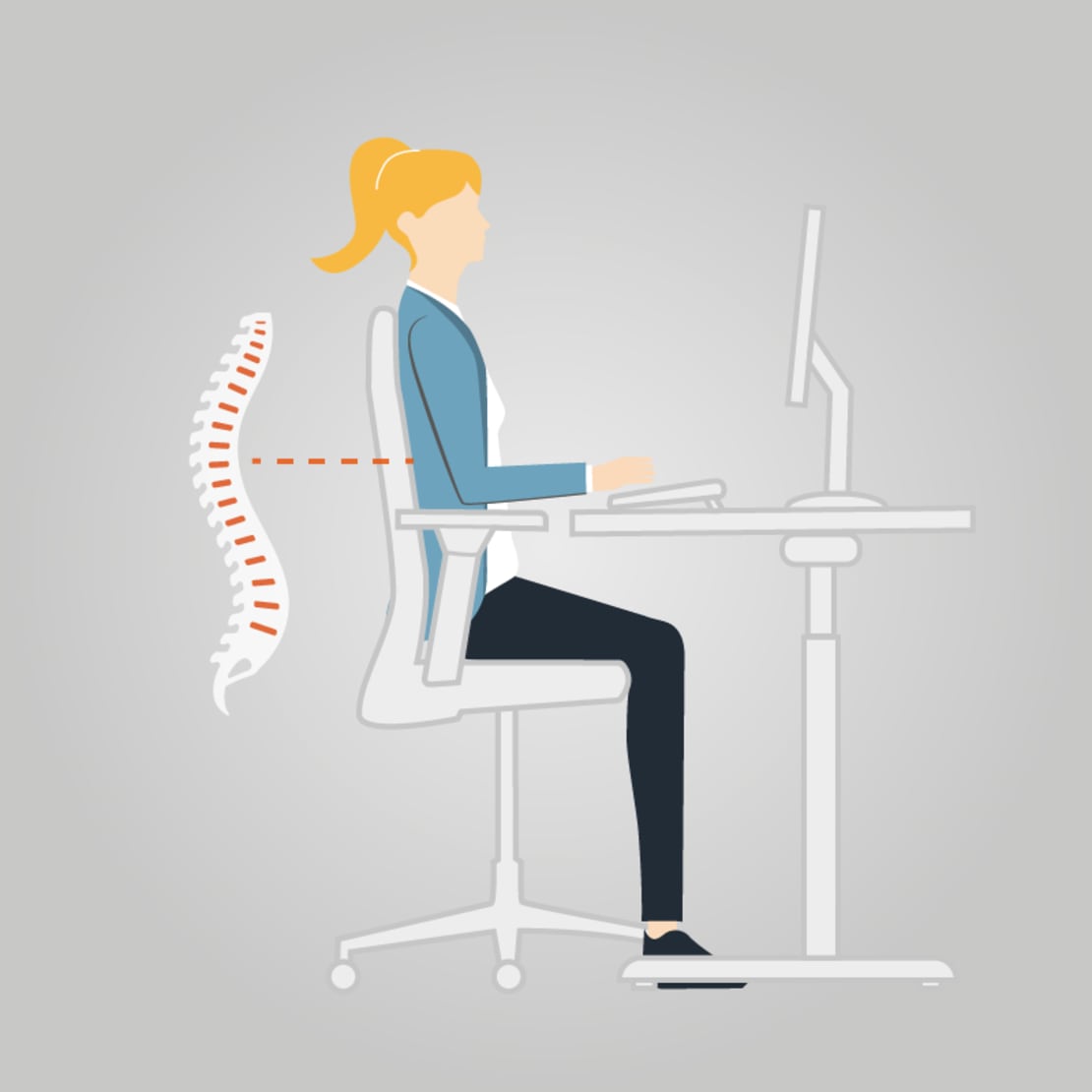
The formula you need to apply to find the best seating height is simple: with your feet placed firmly on the ground, the angle created by your calves and thighs in a seated position should be 90°. The front edge of the chair should then be the same height as the hollow of your knee. When positioning your body as far back as possible in the seat of the chair, you should always be able to fit one or two fingers between your leg and the seat's front edge so as not to cut off circulation. For the very same reason, you should not cross your legs. This may seem like the most comfortable position to you, but in the long run, the tilted position of the pelvis is harmful to our posture and impairs the blood circulation. You should therefore ‘treat’ your legs to freedom.
The back rest of a good office swivel chair should be adjustable to your weight and your body size, to create adequate counter-pressure to any movements you make. Take a seat, relax your shoulders and drop your arms so that they are positioned slightly towards your back. Then adjust the back rest so that when leaning back, it gently leans into you. Not too much. And not too little. When you stretch your arms out in front of you, the back rest should support the movement. If this is the case, the chair is properly adjusted. The height of the back rest should reach the top point of your shoulder blades. The curvature in the lower section of the back rest (lordosis support) should be approximately waist-high. And in the last step, adjust the arm rests of your chair: For this, drop your arms to your sides in a relaxed position. Angle your arm so that it forms a 90° angle. When your elbows can rest loosely on the arm rest, they perfectly alleviate the shoulder region.
Attuned to a correctly adjusted swivel chair, you can now set your desk to the correct ergonomic height. Take a seat in front of your desk and adjust the table top to the height of your arm rests. When typing a lot, you can lower the desk by the height of the keyboard, i.e. by a further one to two centimetres. Wrist rests in front of the keyboard relieve shoulders, the neck and the joints while typing. Adjust the monitor in front of you – for the best experience it should be straight ahead of you – and observe a distance of a minimum arm’s length (which is around 50-80 cm). The monitor’s top edge should not be above your eye line.
Correctly seated at the workstation

Adjust your chair to meet your body’s ergonomic requirements

Use the arm rests of your chair when standing up and sitting down.

Be sure to have the right desk height.

Choose the optimal position for the monitor, the keyboard and the mouse.

Prevent daylight or luminaires from reflecting in the monitor.

With the monitor switched off, check if reflections or light feedback is visible on the screen.

Place your copies in front of you, between the keyboard and the screen, or use a holder for this.

Rest your wrists in front of the keyboard.
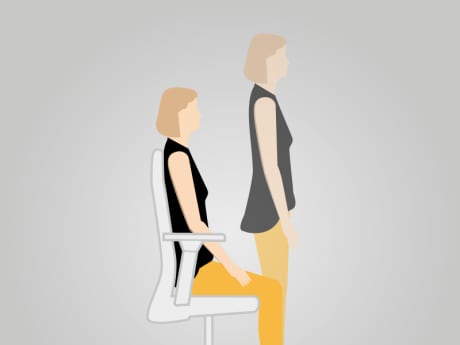
Move around as much as possible and change your desk-side position between standing up and sitting down.

Take a quick break after working for an hour.

Have your eyes regularly examined by an eye doctor and be sure to use special eyewear for monitors if needed.

Smile and stay relaxed.
Contact us directly:
König + Neurath (UK) Limited
+44 20 74909340
Write us
Ground and Lower Ground Floor
75 Farringdon Road
London EC1M 3JY
Loading data